



Your reading, remembered

Turn every clipping and word lookup intolasting knowledge.

KMate brings Kindle and Kobo highlights, notes and vocabulary into one focused workspace—deep organization and reading on desktop, effortless review on iPhone and iPad.

Import from Kindle and Kobo devices, Kindle App, Amazon Cloud and WeRead — plus Apple Books highlights and notes on Mac. Keep Mac and iOS in step through your personal iCloud account.

Latest Mac · Windows · v4.0 → FAQ
Every source, clearly organized
Kindle & Kobo, with you everywhere
Personal iCloud sync

Reading workflow

From Highlight Clipping and Word Lookup to Review

Import, organize, read and review in one connected workflow.

  1. 01

    Import

    Connect your reader on Mac or Windows to import highlights, notes and saved words. Keep each book, author and source together.

  2. 02

    Organize

    Deduplicate, group by source, tag, search and connect notes into a useful library.

  3. 03

    Review

    Read in cards or lists, use flashcards, themes, status controls and focused recall.

  4. 04

    Master

    Track activity, enrich words with dictionaries and export to the tools you already use.

Product capabilities

Tools for organizing, reading and reviewing

Use the desktop app for in-depth organization and reading, then pick up your review on mobile.

Reader & app imports

Kindle and Kobo, in one library

Connect your reader on Mac or Windows to import highlights, notes and saved words. Keep each book, author and source together.

  • All Kindle models for highlights and notes; Vocabulary Builder on supported models
  • All Kobo models: highlights, notes and My Words, via USB or a Kobo database file
  • Kindle App HTML, Amazon Cloud Notebook and WeRead; Apple Books on Mac
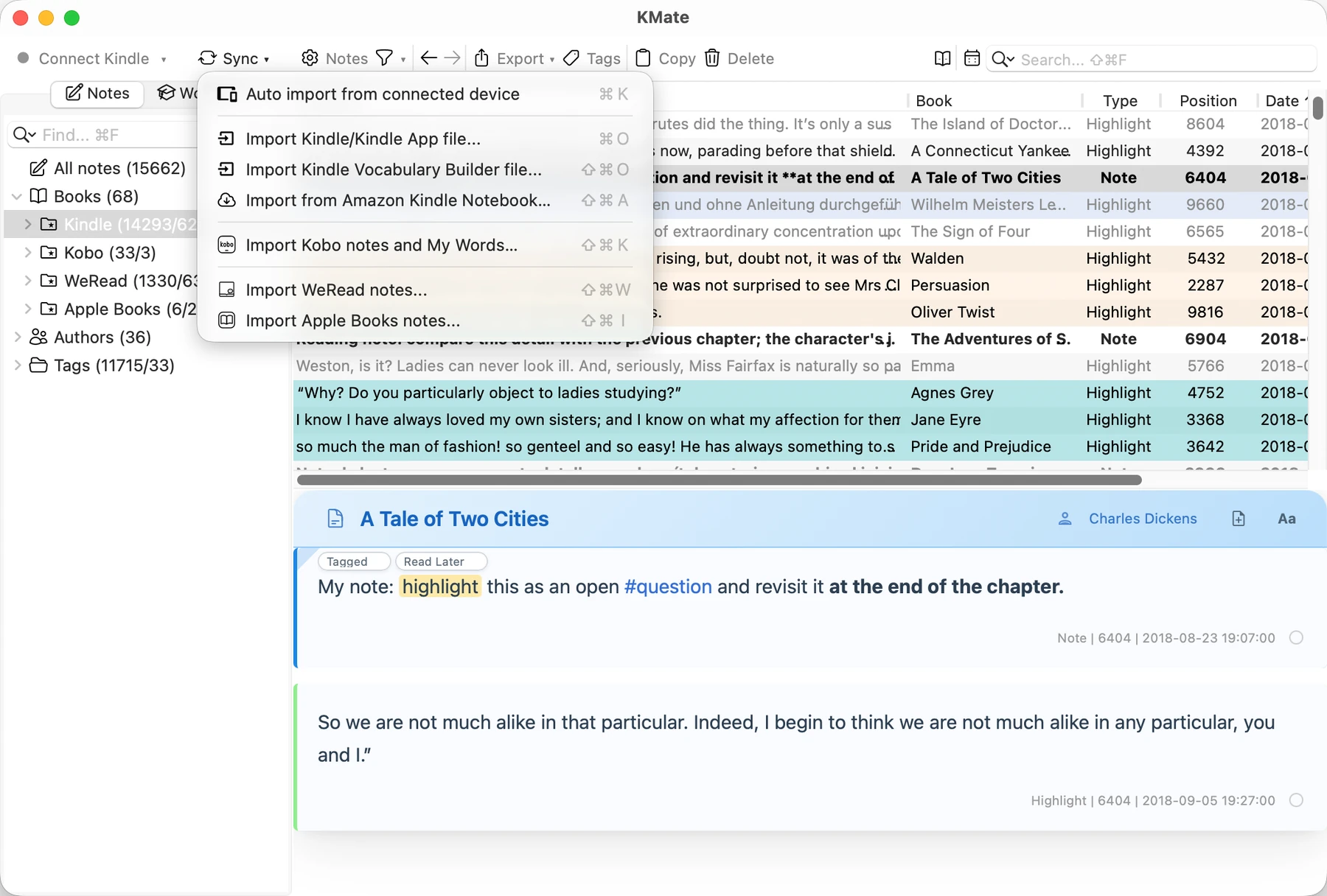
Kindle and Kobo, in one library

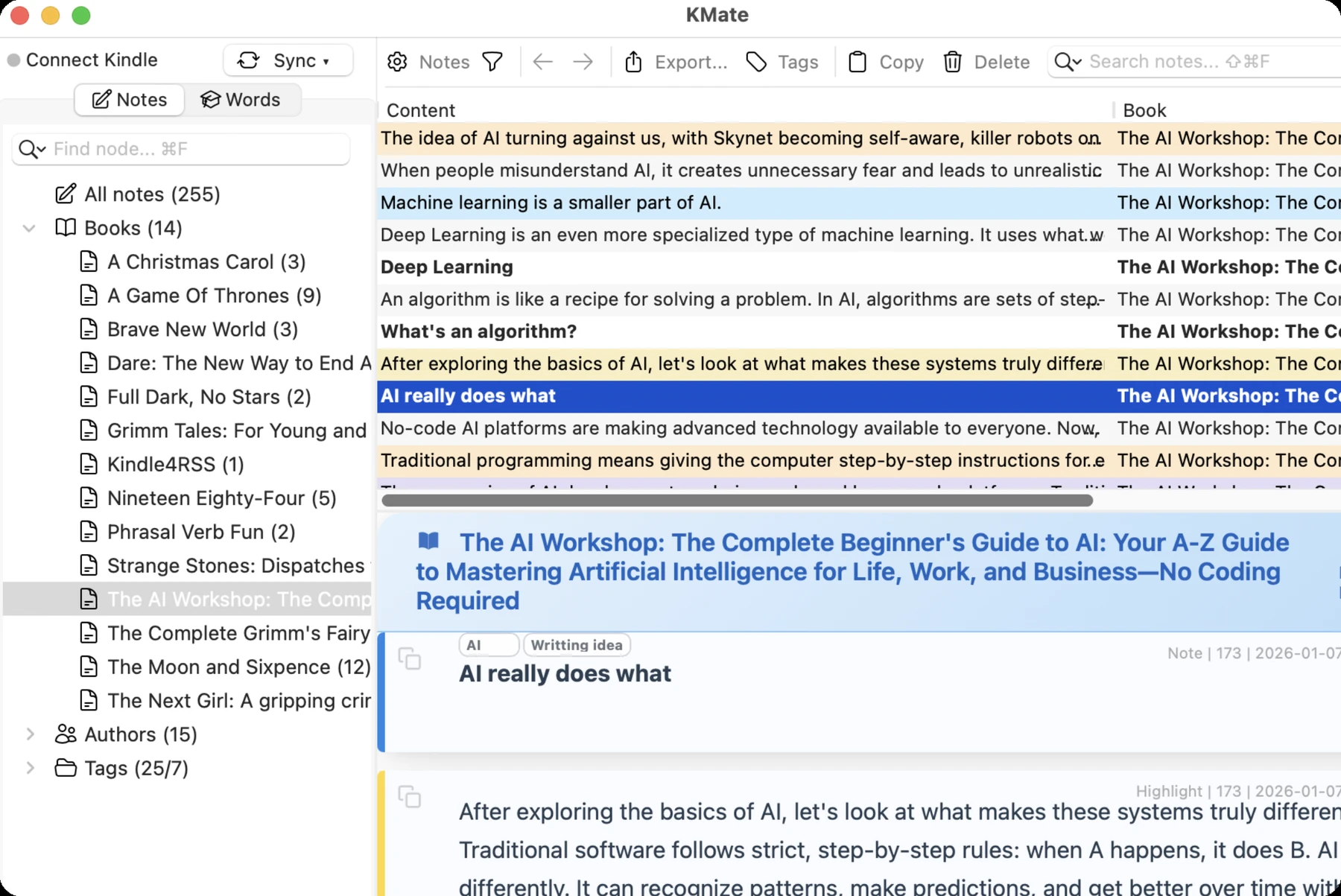
A calmer library

Every source, clearly organized

Manage Kindle and Kobo highlights, notes, WeRead content, Apple Books on Mac, and your own book notes without mixing sources or losing context.

  • Recognize highlights and their linked notes, freely edit or create notes, and use Markdown editing with automatic #content-tag recognition and categorization. Add tags quickly on Kindle and let KMate organize them automatically.
  • Smarter duplicate and Kindle Scribe autosave cleanup
  • Group your library by time, book language and import source, then organize it with tags, color markers, learning status and sorting
  • Full-text and wildcard search across large libraries
Every source, clearly organized

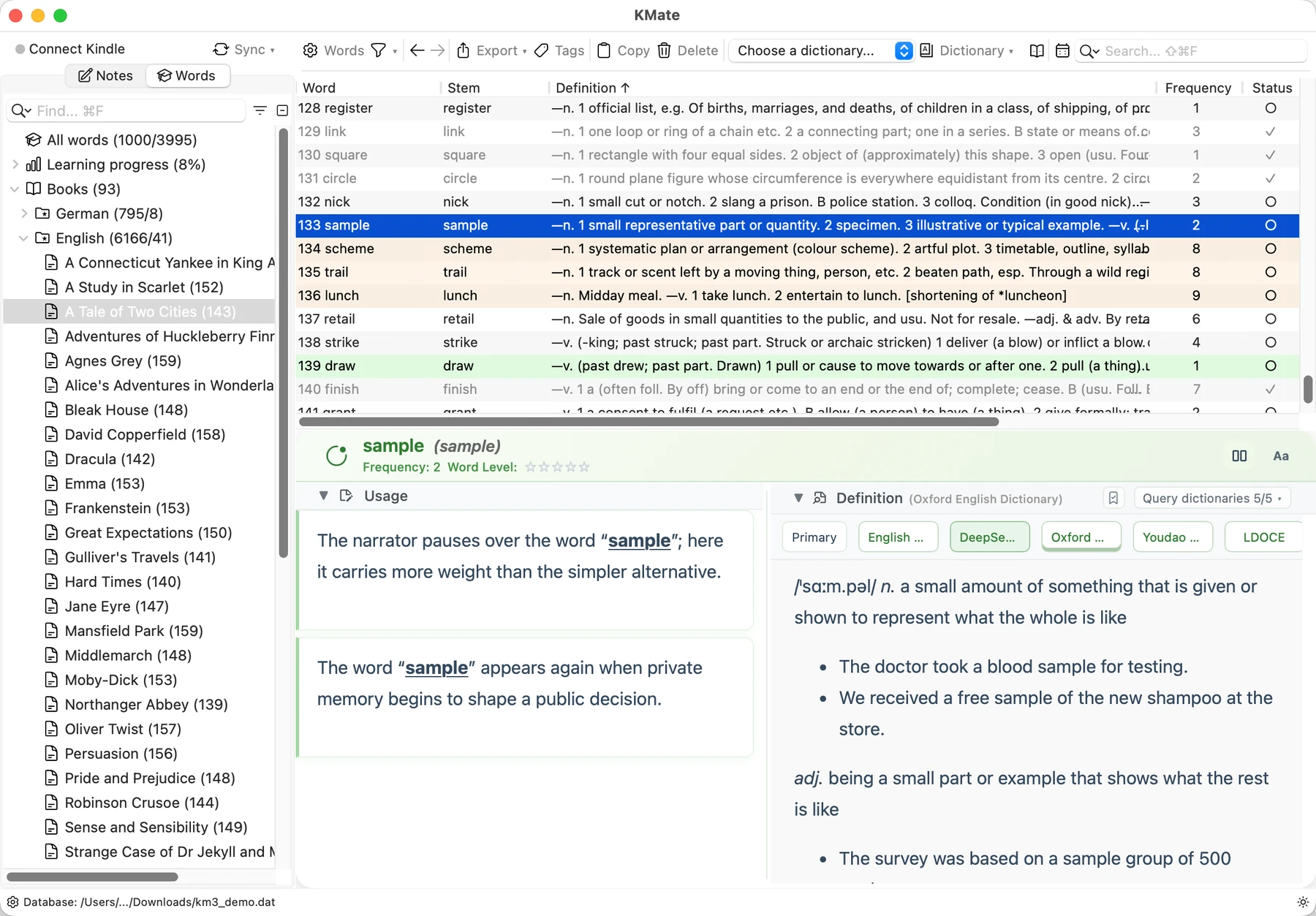
Vocabulary in context

Keep vocabulary connected to context

Import Kindle Vocabulary Builder and Kobo My Words. Explore original usage, source books and dates, plus related examples, highlights and notes from your library.

  • Local, online and AI dictionaries; use your own API key with DeepSeek, Claude, Kimi, GLM and other supported services
  • MDict, StarDict, MOBI and custom dictionaries
  • Updated Anki export: front/back fields, card styles, and original HTML or concise definitions
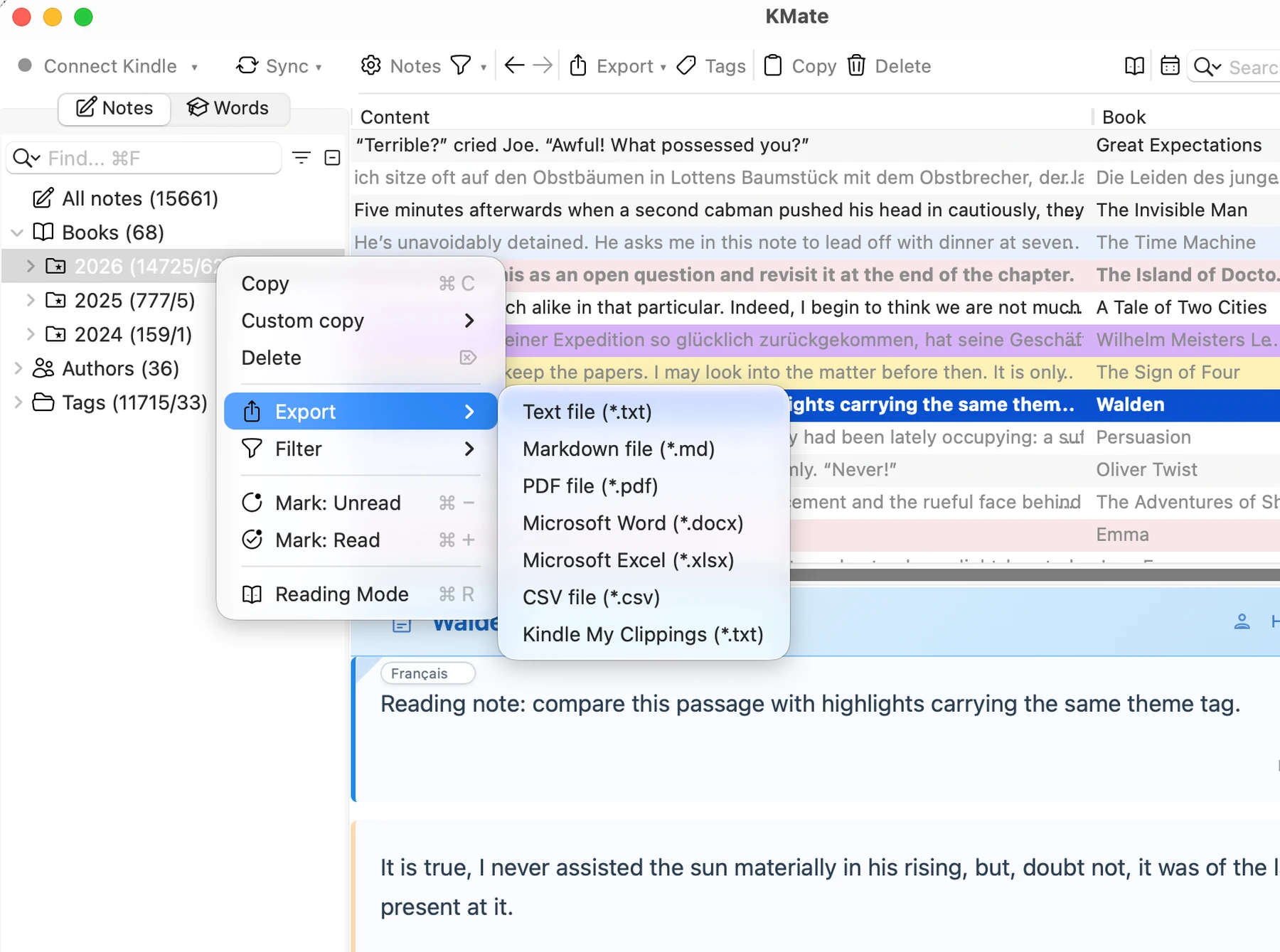
  • Also export to Markdown, PDF, Word, Excel, CSV and TXT
Keep vocabulary connected to context

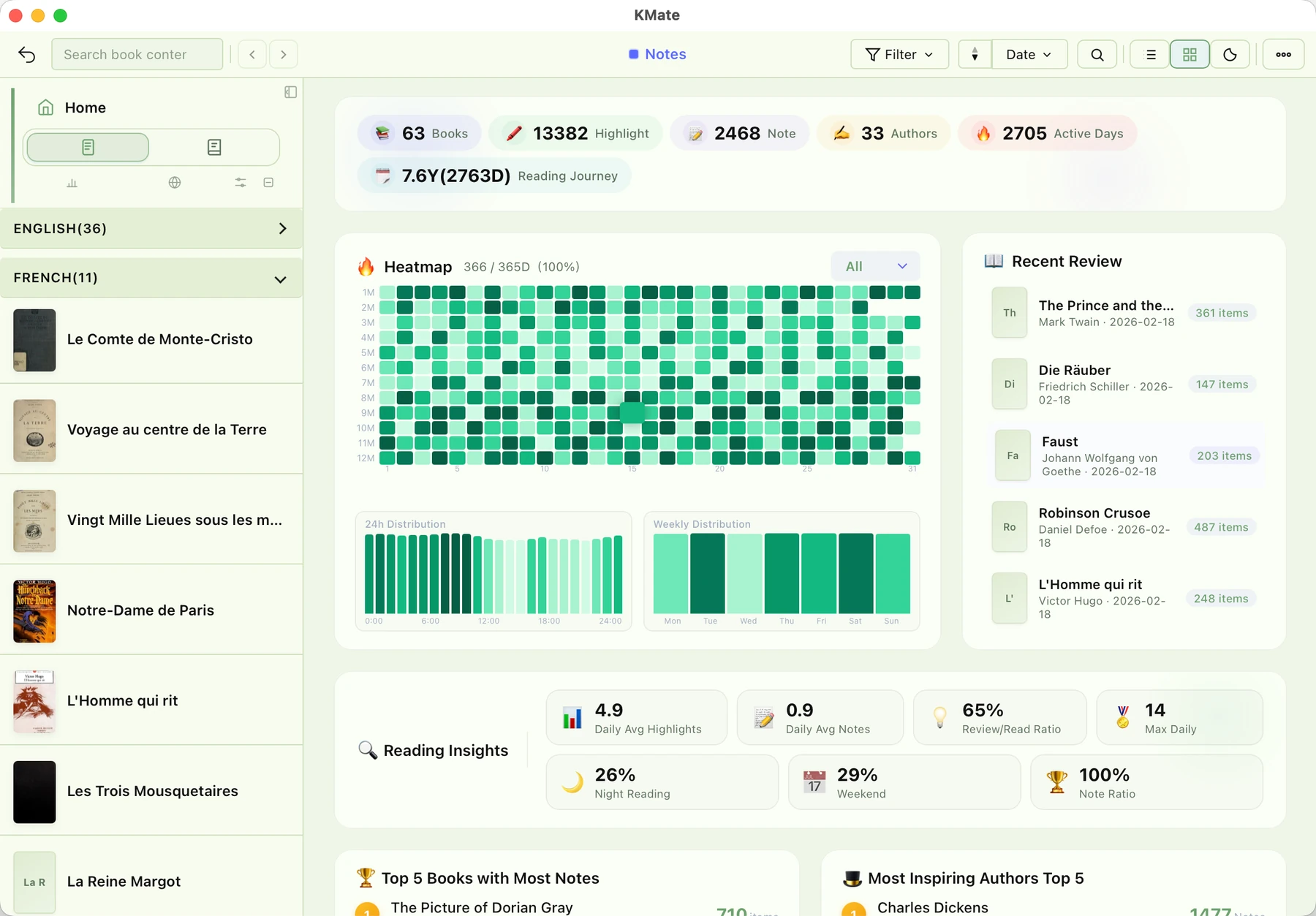
Activity & insight

See the shape of your reading life

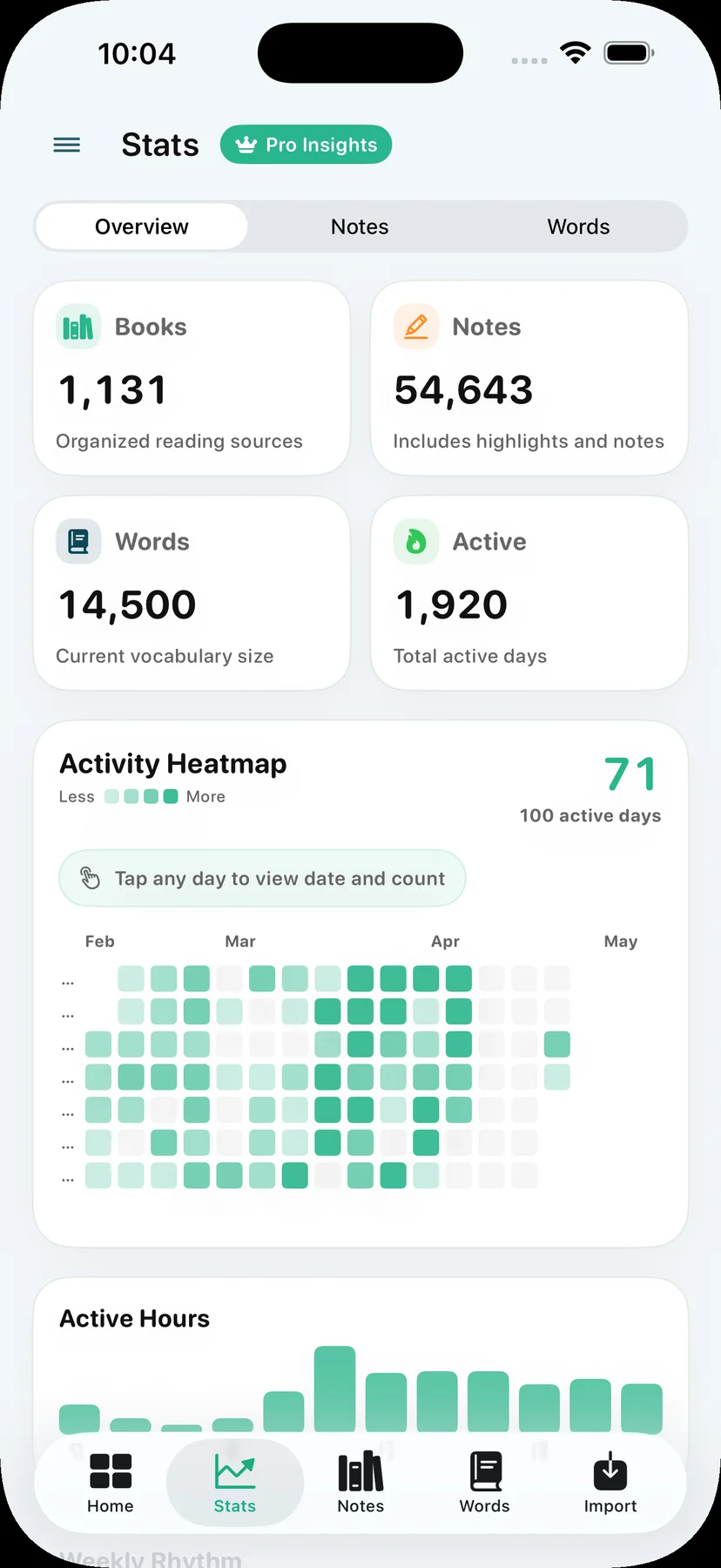
Activity calendars and trend charts turn a large archive into an understandable record of what you read and learn.

  • Daily, monthly and yearly heatmaps and trends
  • Date filtering directly from the activity calendar
  • Highlights, vocabulary, mastery and book-level insight
See the shape of your reading life
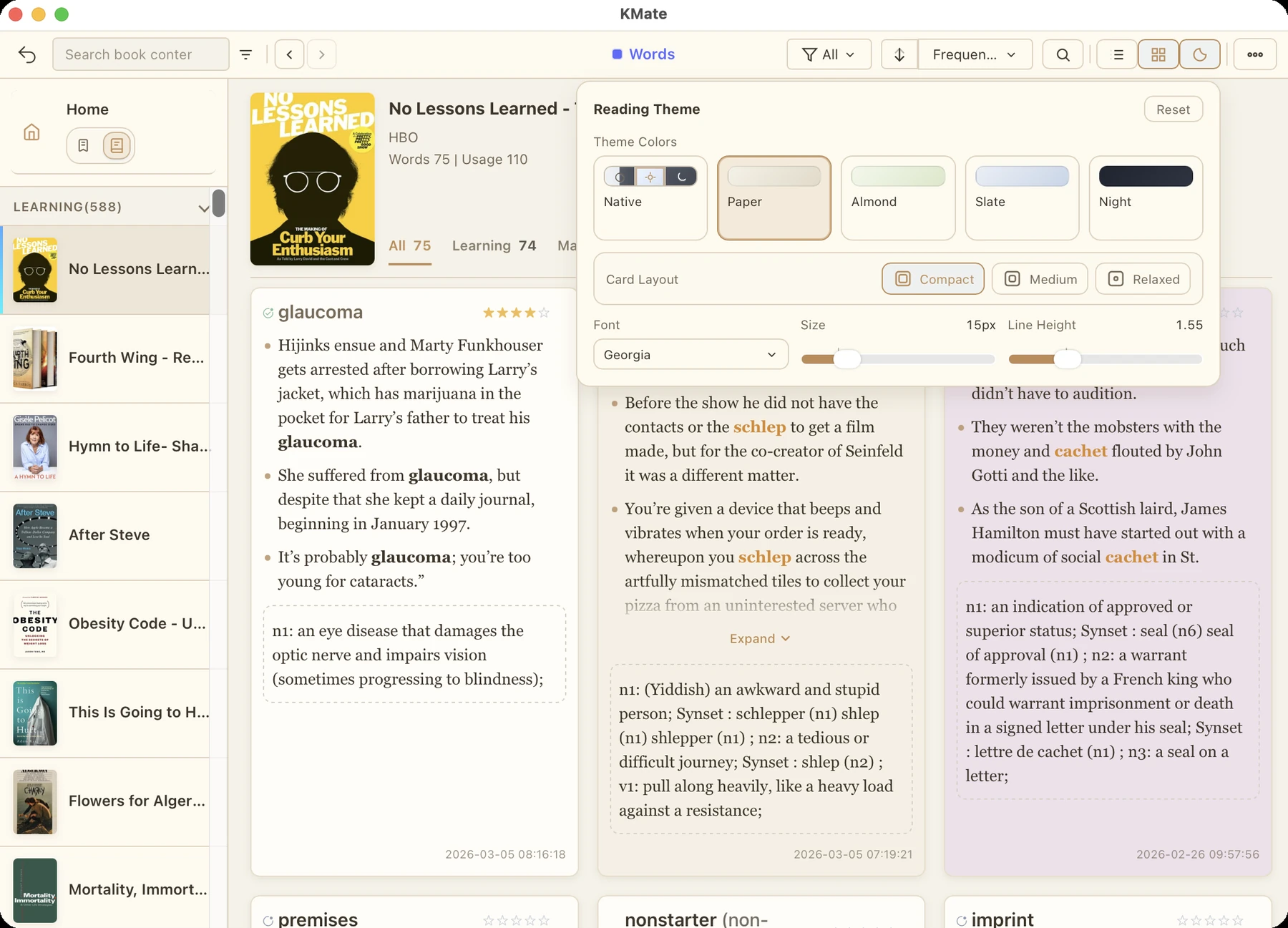
A focused space for reading and review

Reading Mode

A focused space for reading and review

Move from database work to an immersive card or article view with book covers, themes, fonts and quick editing.

  • Six independent detail themes for highlights and vocabulary, with dark adaptation for dictionary definitions
  • Card, list and article views with expand and auto-collapse
  • Markdown notes, linked highlights and standalone book notes
  • Heatmap filtering, reading status, printing and card export

Copy & export

Choose what travels with your notes

Customize fields, content and styles for copying, sharing or continuing your work in another app.

  • PDF, Markdown, Word, Excel, CSV, TXT, Kindle My Clippings and Anki
  • Place linked notes above or below highlights, or export them separately; retain colors in PDF and Word
  • Customize Anki card fronts, backs and fields, with dictionary HTML or concise definitions
Choose what travels with your notes

KMate Mobile · 2.5.0

Kindle & Kobo, with you everywhere

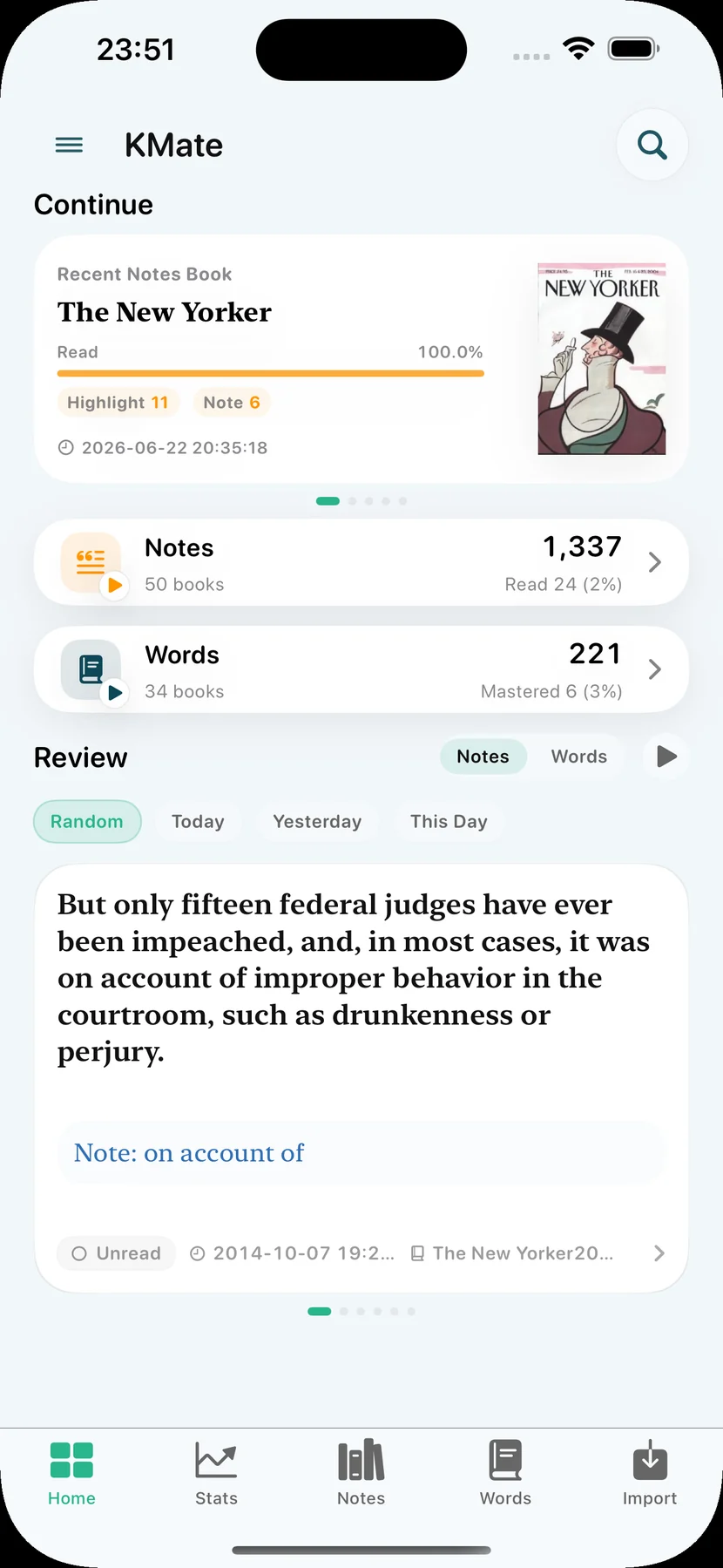
KMate Mobile brings Kindle and Kobo notes and vocabulary to iPhone and iPad. Import from compatible readers over USB, files or Amazon Cloud, then read, edit, review and export on your device.

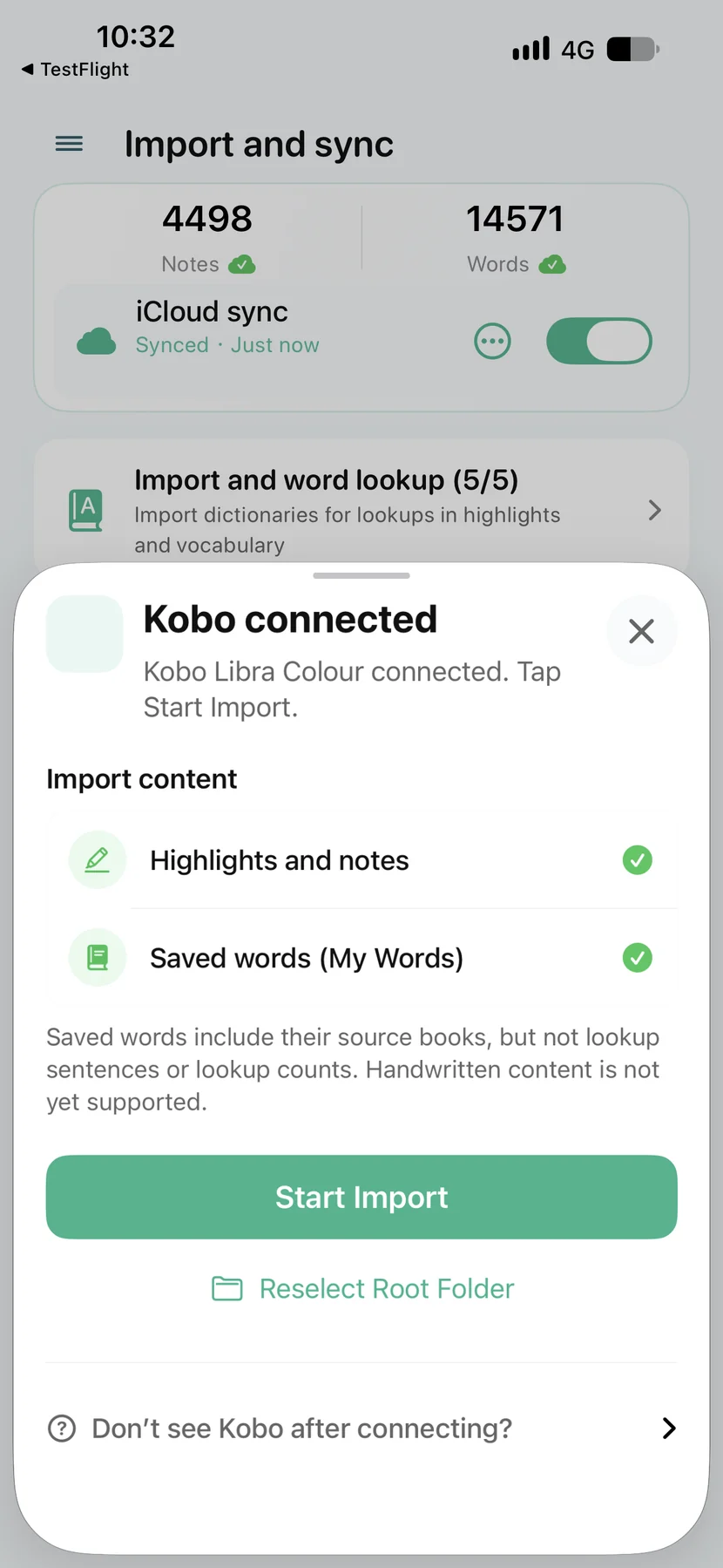
  • Import Kobo highlights, linked notes and My Words, preserving colors and book sources with automatic deduplication
  • Connect compatible Kindle and Kobo readers over USB; reuse permissions for multiple devices and import Kindle note and vocabulary files together
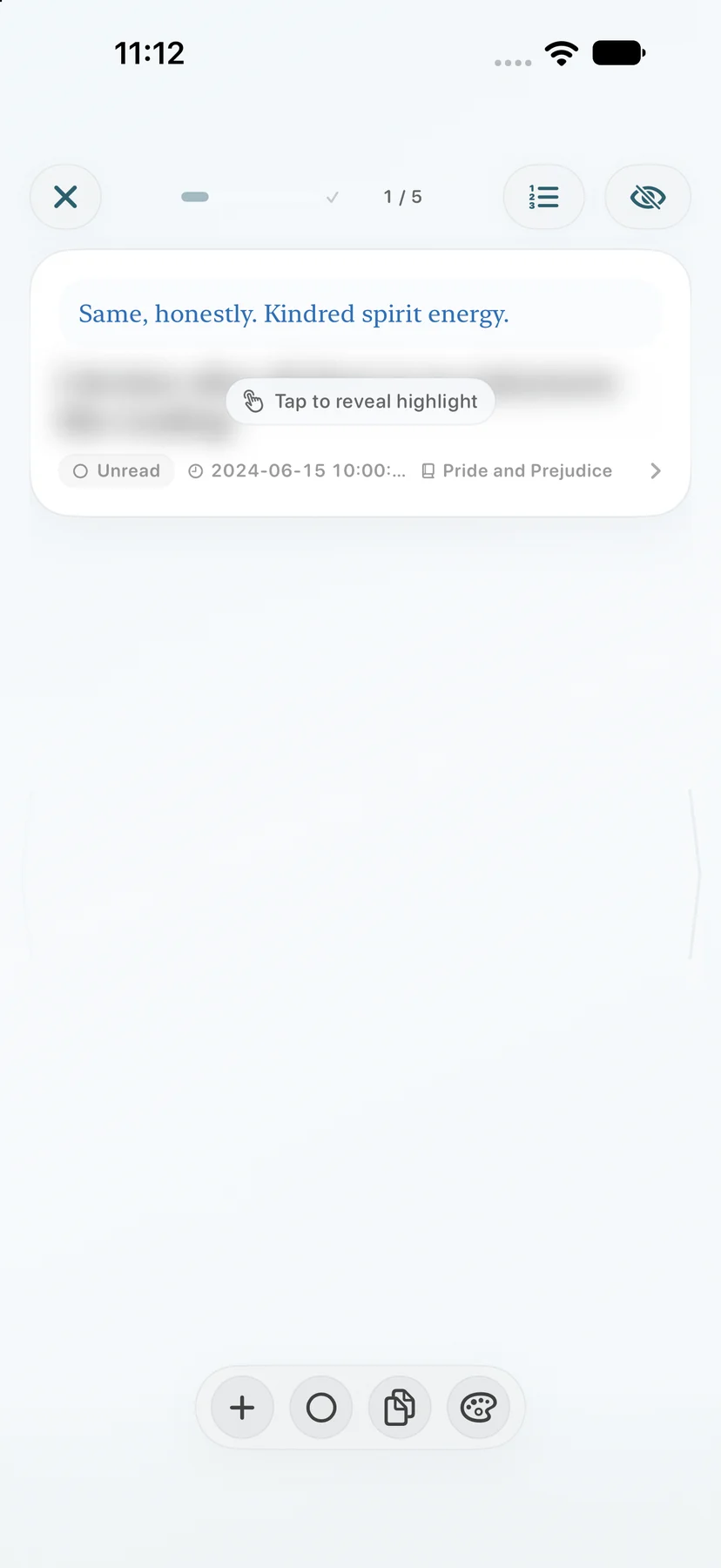
  • Hide highlights and recall them from your notes; reveal vocabulary examples and definitions step by step
  • Double-tap to look up words with MOBI, MDX, StarDict and text dictionaries
  • Export PDF, Markdown, TXT, Kindle My Clippings.txt and Anki vocabulary; choose themes and fonts, and explore activity heatmaps
Download KMate Mobile on the App Store

One product family

Deep work on desktop. Small moments on mobile.

KMate treats each platform according to what it does best, while keeping your reading library portable and under your control.

iCloud

Mac + iPhone/iPad

Sync highlights, notes, vocabulary, definitions, tags and learning progress through your personal iCloud account, then continue where you left off. iCloud sync requires KMate Pro on Mac and is free in KMate Mobile.

Database

Windows + iPhone/iPad

Use the full desktop workflow on Windows, then import your KMate database into KMate Mobile for reading and review on the go.

10+ yearsBuilding for Kindle readers
100,000+Items handled smoothly
13All Kindle highlight and note languages parsed
0App data collected

macOS · Windows · iOS

Choose the KMate that fits your workflow

Each edition shares the same reading philosophy, with platform-specific strengths and purchase options.

KMate for Mac

The complete library, with iCloud continuity

Import Kindle, Kobo, WeRead and Apple Books content, then organize, look up, read, analyze, export, and sync natively with KMate Mobile.

Free for the latest 1,000 items; Pro unlocks unlimited capacity and iCloud sync.

KMate for Mac

KMate for Windows

The full desktop workflow on Windows

Feature-aligned with Mac for library management, dictionaries, Reading Mode and export, with mobile database handoff.

15-day full Pro trial; one-time lifetime purchase.

KMate for Windows

KMate Mobile

A standalone companion for iPhone and iPad

KMate Mobile brings Kindle and Kobo notes and vocabulary to iPhone and iPad. Import from compatible readers over USB, files or Amazon Cloud, then read, edit, review and export on your device.

Free to start; Pro adds advanced themes and fonts, double-tap word lookup, Markdown/PDF and My Clippings export, printing and unlimited insights.

KMate Mobile

Make reading and review part of every day.

Start free on the platform you use. Keep notes and vocabulary on your device or in your personal iCloud, and export whenever you need.